
iPad edition
Your network workspace,
built for touch.
MultiSourcery for iPad carries the Mac app's Browse, Go, and Serving Files workflow into a touch-first workspace that works in portrait or landscape. Discover devices, browse files, connect with native protocol engines, host shares, and coordinate distribution from one screen.
Designed around iPadOS
- • Portrait and landscape navigation with an exit control in every view
- • Files, iCloud Drive, external drives, Photos, and the share sheet
- • Local-network access requested only when discovery or connections need it
- • Background-capable HTTP/WebDAV transfers; socket servers stop when the app backgrounds
See it on iPad
From a device to a transfer—or a Swarm
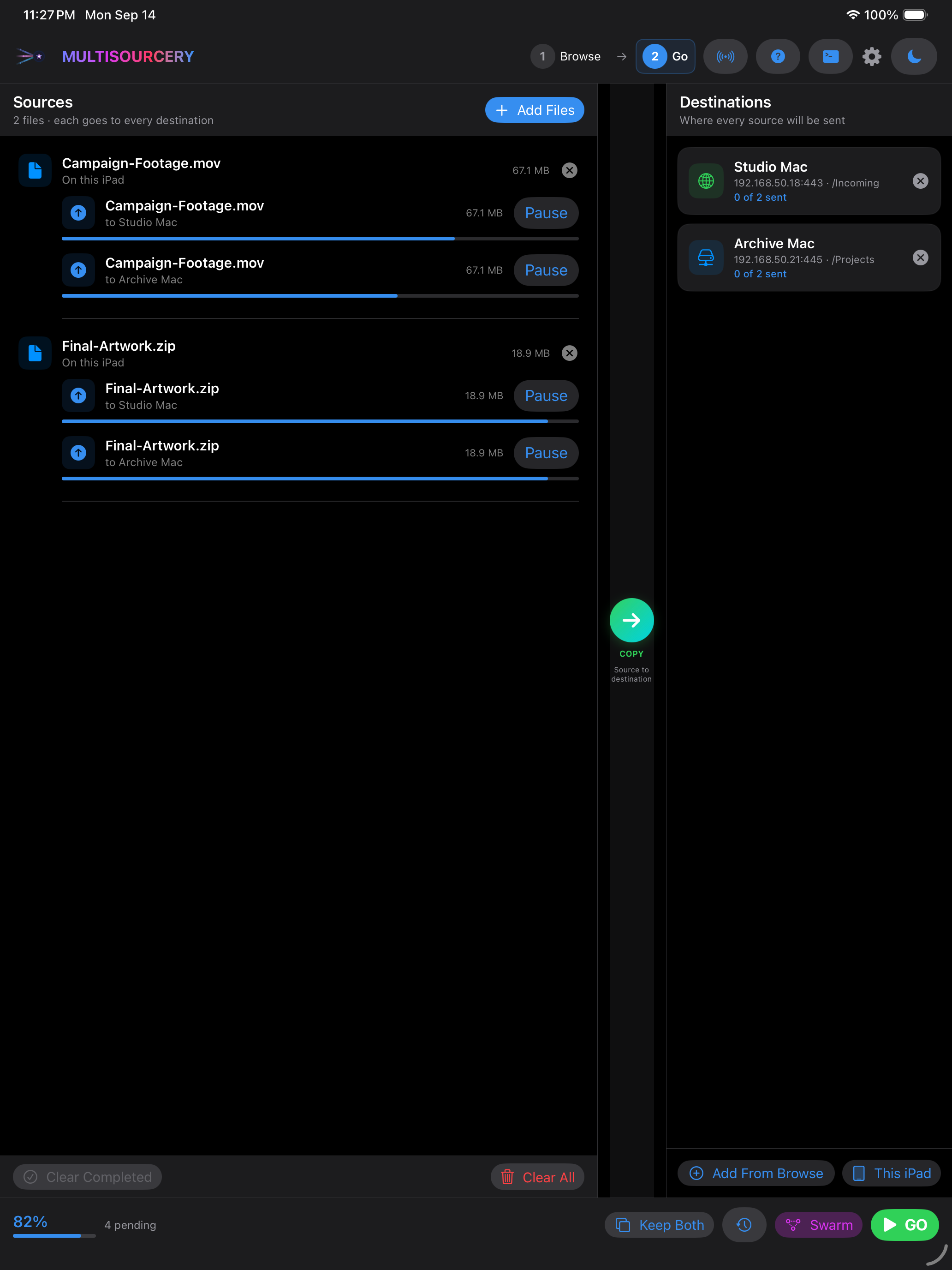
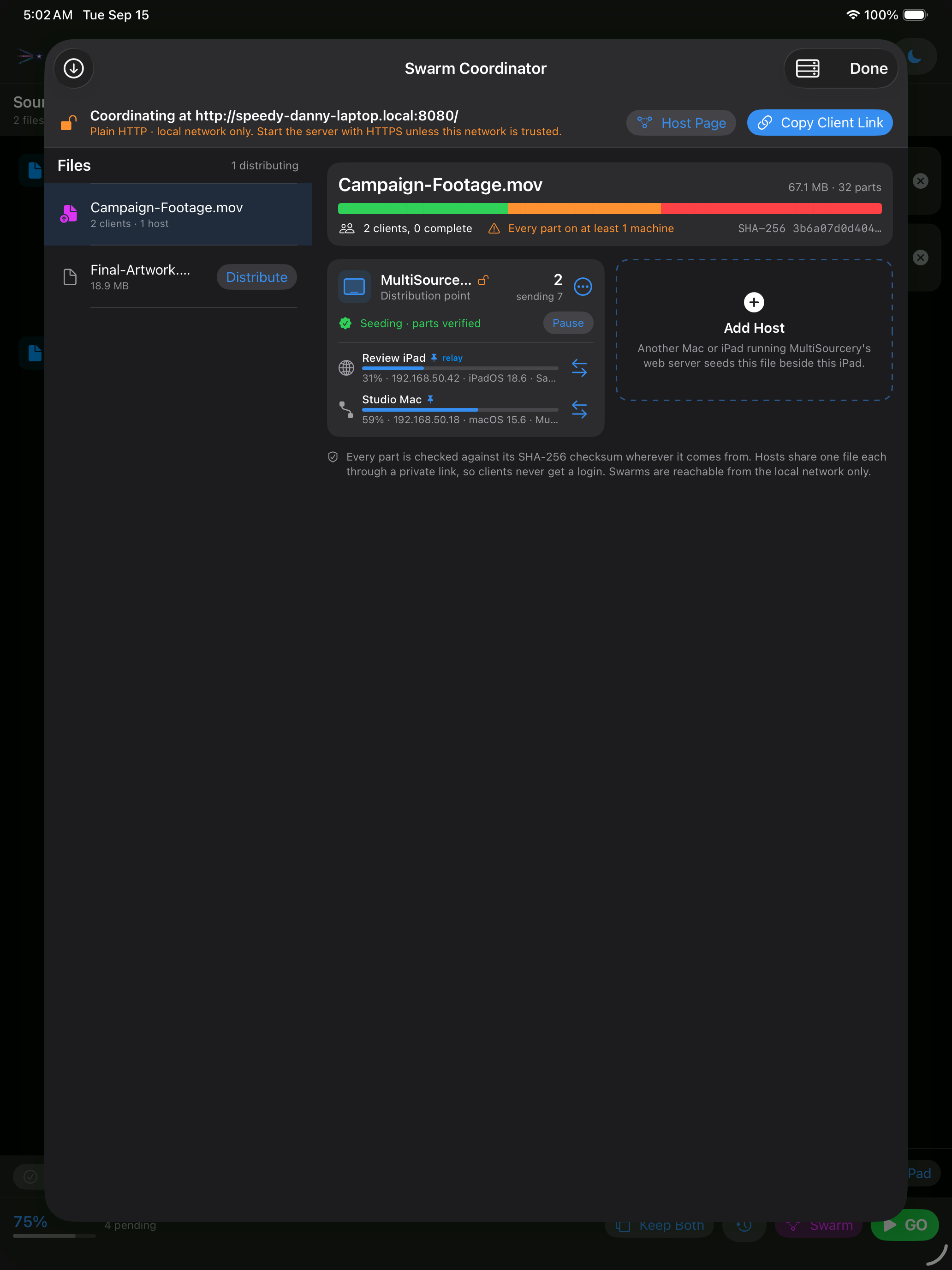
These are captures from the current iPad build. The Go workspace keeps transfer choices within reach, and its Swarm control opens the coordinator where you can add a Mac or iPad host, start serving the browser page, and monitor distribution.
Find the useful device
Bonjour discovery, a bounded local-subnet scan, port fingerprinting, web-console detection, and offline OUI data work together to identify Macs, iPads, storage, routers, extenders, printers, and services.
Work with iPad files
Browse On My iPad, choose locations in Files or iCloud Drive, retain approved folder shortcuts, and add external-drive folders through the system document picker. Share one or many local or downloaded files with the standard share sheet.
Queue transfers
Collect files from local and remote sources, choose one or more destinations, resolve name conflicts, pause or retry work, and review persistent transfer receipts with byte counts and SHA-256 verification.
Host from the iPad
Choose a Files location and start a file server on an iPad-safe port. Each server reports clients and operations in the shared console and confines access to the selected root.
Distribute through a Swarm
A Mac or iPad can coordinate verified file parts across app peers and browser clients on the local network. Browser pages can collaborate without installing the app, while the host tracks peers, holdings, and transfers.
Keep credentials local
Passwords, private keys, server identities, trusted host keys, and saved connection credentials use the Apple Keychain. Face ID or the device passcode can protect imported SSH private keys.
Connect from iPad
Client protocols
- • SMB 2.0.2–3.1.1
- • SFTP
- • Rsync over SSH
- • FTP and implicit FTPS
- • NFSv3 and NFSv4
- • HTTP and HTTPS
- • WebDAV and WebDAVS
Serve from iPad
Foreground hosting
- • HTTP / HTTPS and WebDAV
- • FTP / implicit FTPS
- • SFTP
- • Rsync over SSH
- • NFSv3 / NFSv4
- • SMB 2 / 3
What is still different from the Mac?
iPadOS does not expose the Mac's ARP table, raw network scanning, unrestricted filesystem, or always-on server model to App Store apps. MultiSourcery uses public iPadOS APIs: Bonjour and direct local connections for discovery, the Files picker for external locations, and foreground servers. Transfer automation and a few advanced topology-editing tools remain Mac-only while the iPad edition completes final QA.