
Apple network discovery
Find the device you meant.
MultiSourcery discovers nearby Macs, iPads, Apple services, storage, routers, wireless extenders, printers, and other local devices from inside the app. It combines several public signals to replace opaque addresses with useful names, roles, and connection choices.
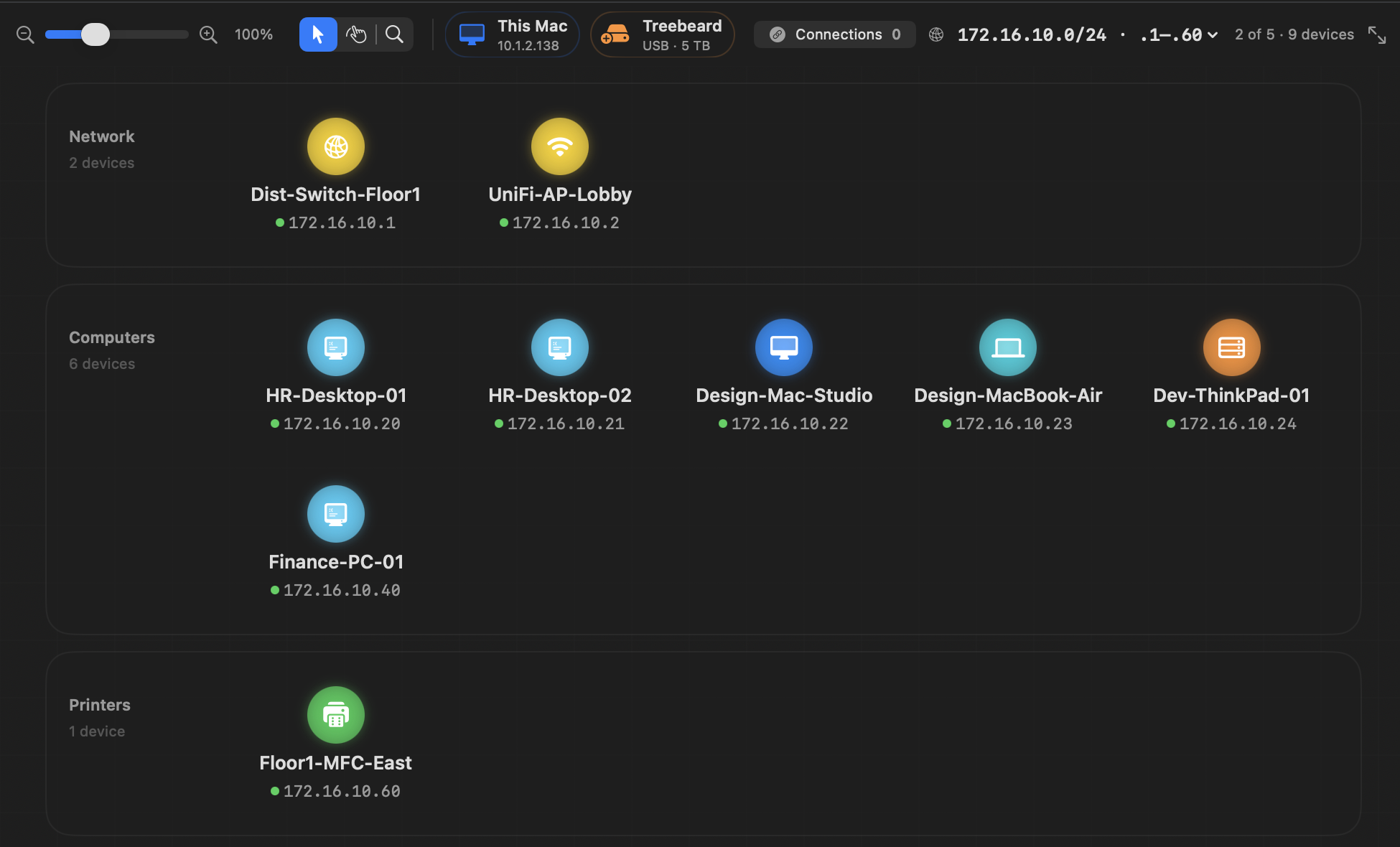
Bonjour identity
Names and advertised Apple services are collected first, including file sharing, remote login, web services, and MultiSourcery hosts.
Direct service checks
A bounded local scan checks useful protocol ports and admin pages. Each result carries evidence instead of guessing from an address alone.
Vendor and device clues
Offline OUI data, service combinations, page titles, and known network roles help distinguish Macs, iPads, storage, routers, and wireless extenders.
Careful deduplication
Strong matches merge as evidence arrives. Uncertain observations remain separate so two real devices are not collapsed into one misleading card.
Mac edition
macOS 15.6 and later
The Mac can combine Bonjour with richer desktop network information, service probes, web-console detection, saved maps, and deeper topology editing. It is the best coordinator for persistent network and hosting work.
iPad edition
iPadOS 18.6 and later
The iPad uses Bonjour and bounded direct connections permitted by iPadOS. It does not depend on private system tables or raw network access. Results are deduplicated as names, vendors, services, and admin pages are confirmed.
From discovery to action
Services become useful controls
Select a device to see the protocols MultiSourcery actually found. File services open a connection workflow; a detected admin page gets an orange gear shortcut; and a saved friendly name stays with the evidence the app has already gathered.